
FLUX-1computational
Computational glass. Not nostalgia.
- Reference
- No real-world analog — computational photography
- Format
- 4:3 default
- Modes
- Photo only
- Flash
- preflash-burst
- Pricing
- Paid in-app unlock
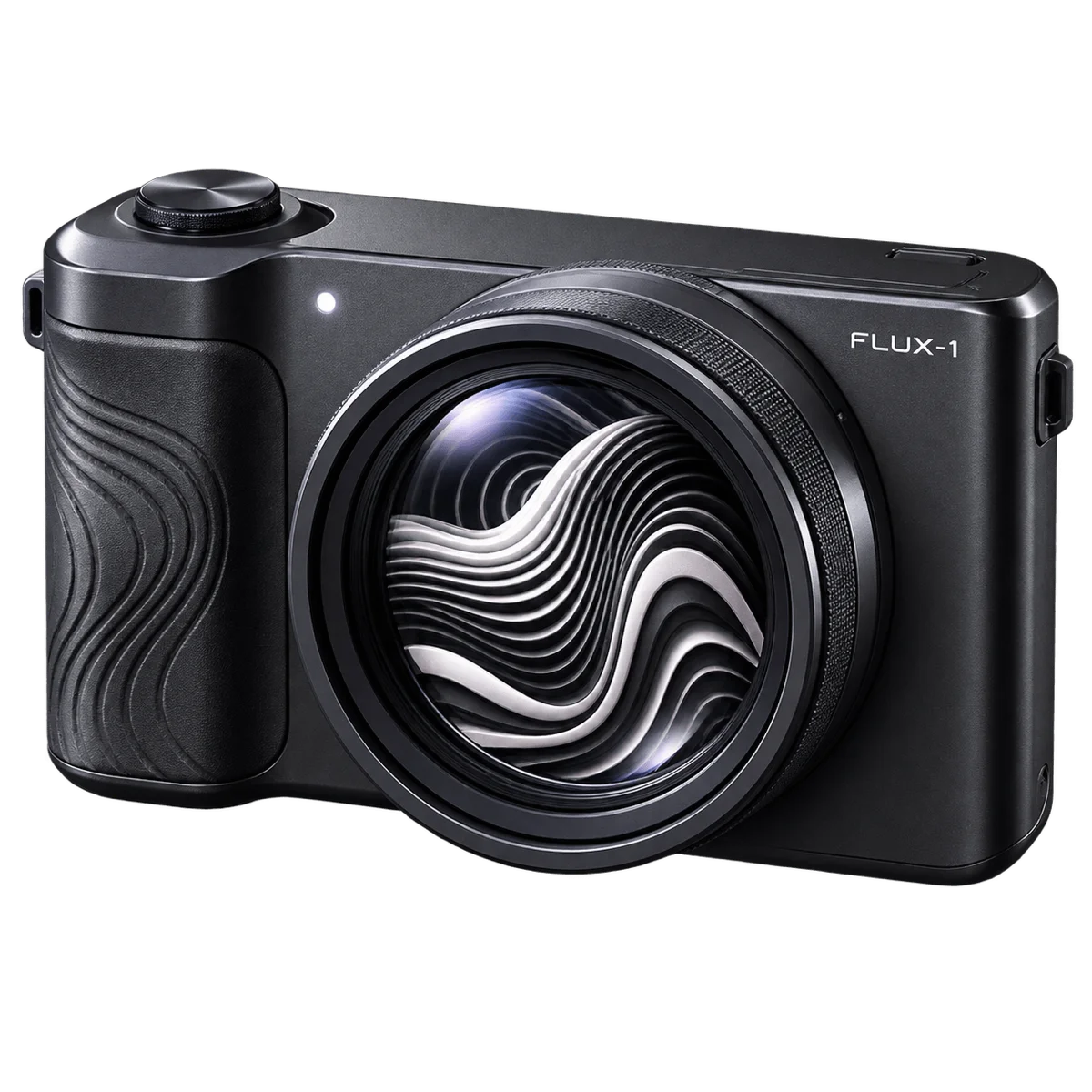
What it simulates
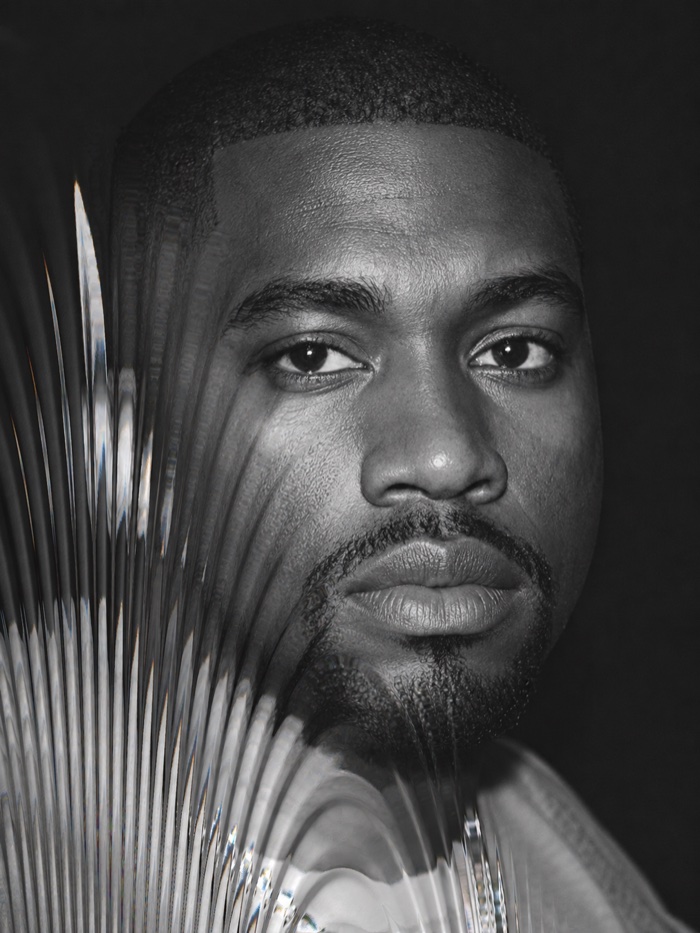
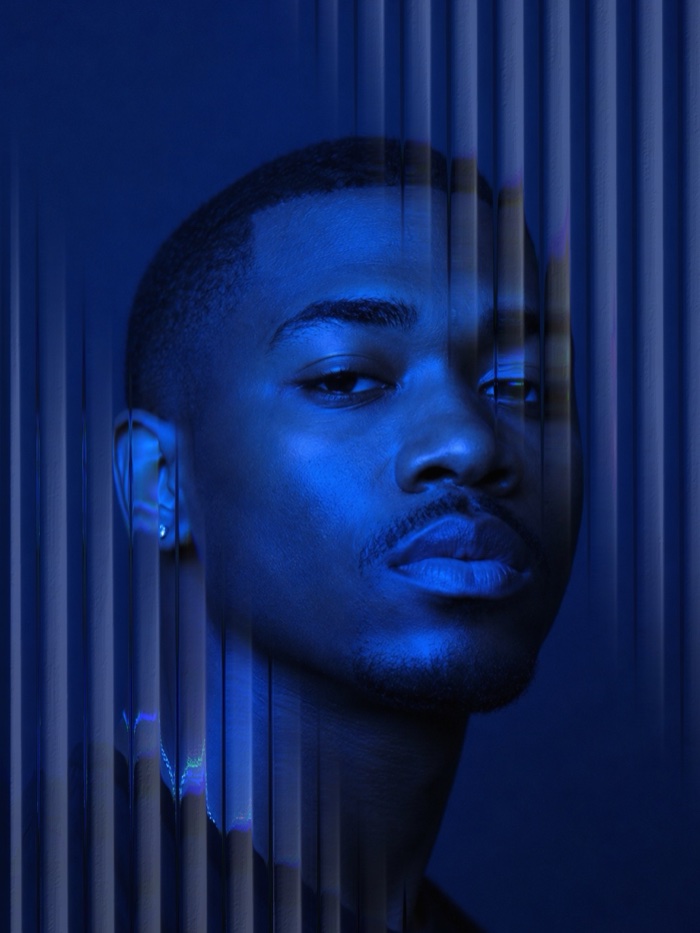
- Nine height-map fractal-warp displacement fields — bends the image live
- Ridge-shadow and highlight shading — reads as physical depth
- Prism / chromatic offset — spectral fringing at the warp edges
- Near-transparent tone path — no LUT grade, no nostalgia colour
- No AGC lift, no grain, no interlace comb — deliberately not a nostalgia camera
How it behaves at capture
- Photo only
- Preflash-burst flash — modern compact behaviour
- 12MP supersampled stills for detail retention through warp fields
- 4:3 default framing
- PATTERN / DEPTH / PRISM / MASK / FIELD / FX controls
- Contextual MASK — drag preview to place the mask; subject-only warp
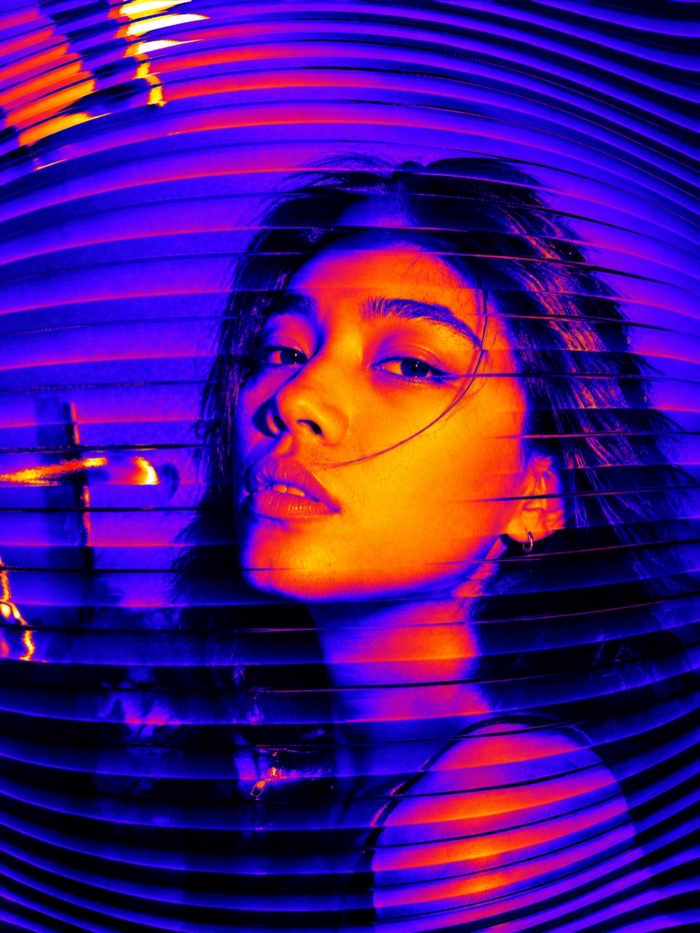
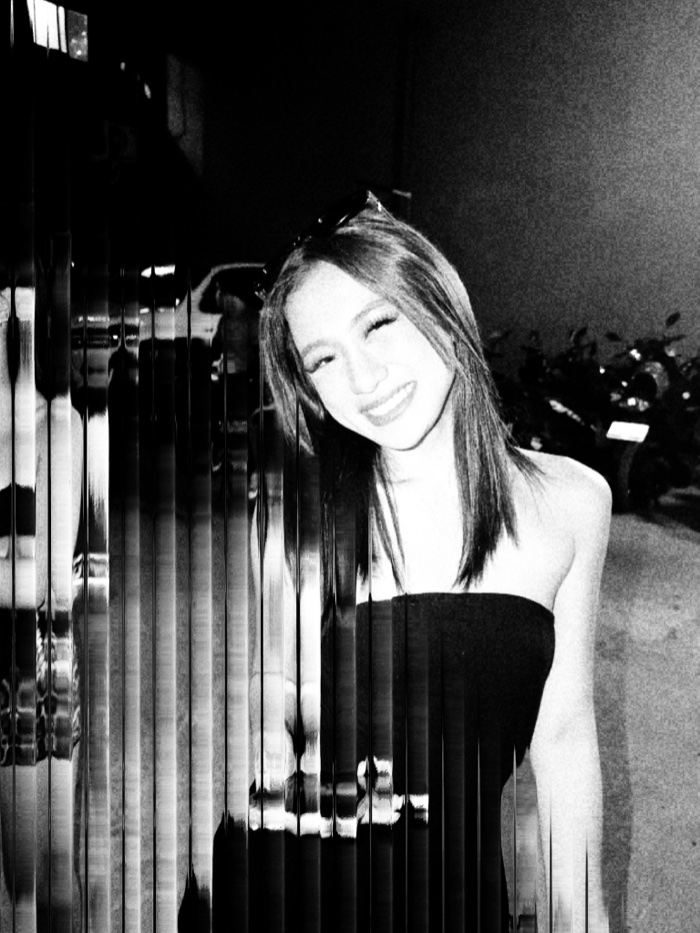
- Curated 8-mode FX subset (NOIR, DUO, CYANO, HEAT, POSTER, SOLAR, INFRA) — modes chosen for strong two-tone / subject-background separation
What FLUX-1 is
FLUX-1 is Afterhours' computational-glass camera. It exists to answer the question: what if the camera's optics could be procedurally generated, in real time, in a way no real lens could be? The answer is nine height-map warp fields, ridge-shadow and highlight shading, and a prism/chromatic offset stage that adds spectral fringing at the warp boundaries.
It is deliberately not nostalgia. FLUX-1 has no LUT grade, no grain, no interlace comb, no AGC lift. All the character comes from the warps and the shading, not from a tone path.
Why no colour grade?
Because the warps are the point. A LUT grade competing with a warp field visually is a mess. FLUX-1's tone path is near-transparent — colour goes through mostly untouched so the warp shading reads clearly. The FX modes (NOIR, DUO, CYANO, HEAT, POSTER, SOLAR, INFRA) are a curated 8-mode subset chosen for strong two-tone / subject-background separation. Not the full 20-mode dial from SPECTRA-16 — a smaller, sharper set that works with warps.
Controls
- PATTERN — pick one of nine height-map fields (waves, prism, bulges, etc.)
- DEPTH — how strongly the field warps the image
- PRISM — chromatic offset intensity at warp edges
- MASK — contextual subject / background isolation. Drag the preview to place. Uses on-device subject segmentation
- FIELD — global field strength scaler
- FX — one of eight two-tone modes
How to shoot with FLUX-1
- Portraits with MASK on — warp the subject, leave the background clean, or the reverse.
- Static scenes where the warp is the composition — the fields shift the geometry in ways your subject can't unshift.
- Preflash-burst flash — modern compact behaviour, useful for keeping the subject legible under warp.
See also SPECTRA-16 (analog effect-forward digicam) and the Camera Simulation vs Filters guide.
Samples
Frequently asked questions
Is FLUX-1 a vintage camera?
No. FLUX-1 is deliberately not a nostalgia camera. It has no AGC lift, no grain, no interlace comb, no tape artifacts. It exists to do the one thing no vintage camera can do: bend the image with computational optics that don't correspond to any real-world glass.
What are the height-map warp fields?
Nine fractal-warp displacement fields — each a procedural height map that shifts the image's pixel positions the way a lens or a piece of textured glass would. Ridge-shadow and highlight shading make the warps read as depth, not just distortion. Prism / chromatic offset adds spectral fringing at the warp boundaries.
What is MASK mode?
Contextual subject isolation. Drag the preview to place a mask and FLUX-1 applies the warp fields only to the subject (or only to the background). Uses on-device subject-mask segmentation. Handy for portraits — warp the subject, leave the background alone, or vice versa.
Is FLUX-1 free?
No. FLUX-1 is a paid in-app unlock.
Published by Afterhours Camera. Reviewed . Corrections and questions: bricksandcanvas@gmail.com.